



Migrating an online store to a new ecommerce platform is an exciting opportunity for growth, but it also comes with significant challenges. If the migration isn’t handled properly, businesses can experience broken pages, lost search rankings, reduced organic traffic, and even a decline in sales. Whether you’re moving from WooCommerce, Magento, BigCommerce, Wix, or another platform, having a well-planned Shopify migration strategy is essential to ensure a smooth transition.
Fortunately, modern Shopify migration tools have made the process much easier than it was a few years ago. Instead of manually transferring products, customers, orders, and SEO data, businesses can use reliable migration solutions like Shift It Now to automate much of the process while reducing the risk of data loss and downtime. Choosing the right ecommerce migration approach allows you to focus on growing your business instead of worrying about technical complications.
The biggest concern for most store owners isn’t moving products—it’s protecting everything they’ve already built.
Questions like these are common:
- Will my Google rankings disappear?
- Will customers still find my products?
- Will my URLs change?
- Will I lose sales during the migration?
The good news is that these risks can be minimized with careful planning and a migration strategy that prioritizes SEO, user experience, and data integrity.
In this guide, you’ll learn the essential steps to migrate your store to Shopify while preserving your search visibility, maintaining customer trust, and minimizing any disruption to your business.
Why Businesses Are Moving to Shopify
Shopify has become one of the world’s most trusted ecommerce platforms because it combines ease of use with enterprise-level capabilities.
Some of the biggest advantages include:
- Fast and secure hosting
- Mobile-friendly themes
- Reliable checkout experience
- Extensive app ecosystem
- Easy inventory management
- Built-in SEO features
- Excellent scalability
Instead of spending time maintaining servers or troubleshooting technical issues, businesses can focus on growing sales.
Step 1: Audit Your Existing Store
Before migrating anything, document your current website.
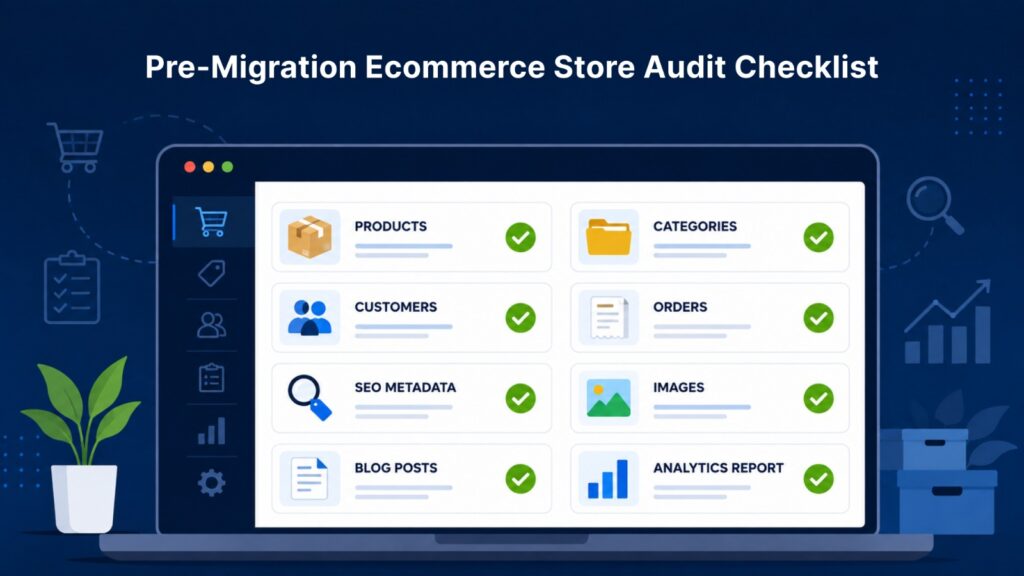
Create a complete inventory of:
- Product pages
- Collection or category pages
- Blog articles
- Landing pages
- Customer accounts
- Order history
- Images and media
- Navigation structure
Most importantly, identify your highest-performing pages in Google Analytics and Google Search Console. These pages generate the most traffic and deserve extra attention during migration.
Step 2: Back Up Everything
Never begin a migration without a complete backup.
Your backup should include:
- Products
- Customers
- Orders
- Images
- Blog content
- SEO metadata
- Database (if applicable)
Having a backup gives you peace of mind if anything unexpected happens during the migration process.
Step 3: Preserve Your URL Structure
One of the biggest reasons websites lose rankings after migration is changing URLs without proper redirects.
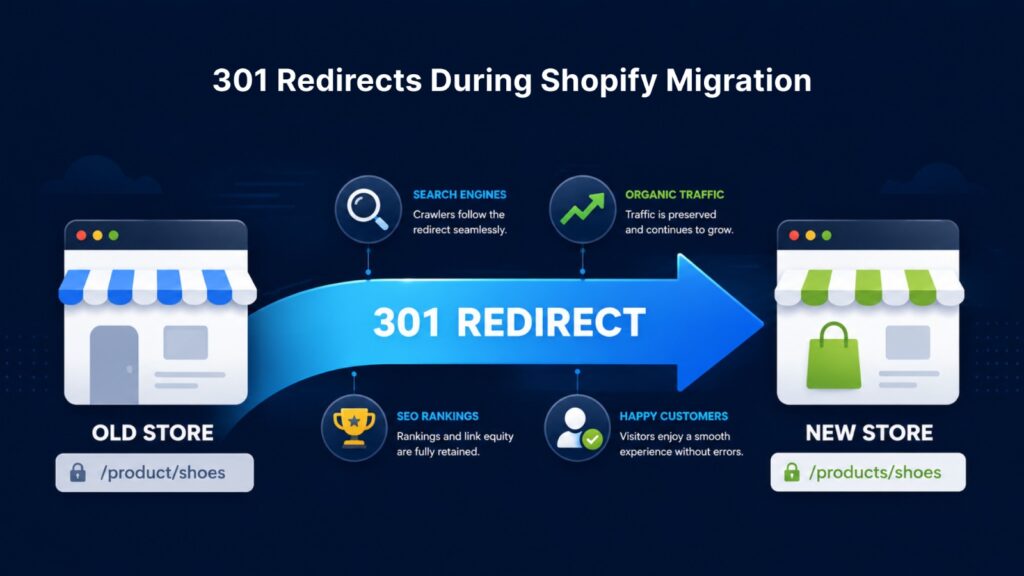
If your product or category URLs change on Shopify, create 301 redirects from every old URL to its new destination.
For example:
Old URL
example.com/product/red-shoes
New Shopify URL
example.com/products/red-shoes
A permanent 301 redirect tells search engines that the page has moved, helping preserve ranking signals and preventing visitors from landing on 404 error pages.
Step 4: Migrate SEO Metadata
Don’t overlook your existing SEO work.
Transfer every important SEO element, including:
- Page titles
- Meta descriptions
- Image alt text
- Product descriptions
- Collection descriptions
- Blog content
- Canonical tags (where applicable)
If these elements are missing after migration, search engines may need to re-evaluate your pages, which can negatively affect rankings.
Step 5: Maintain Content Quality
Many store owners take migration as an opportunity to rewrite every product page.
While improving content is beneficial, avoid making massive content changes during migration.
Keep:
- Product descriptions
- Headings
- Important keywords
- Internal links
Once the migration is complete and stable, you can gradually optimize content over time.
Step 6: Optimize Images
Images are often forgotten during migration.
Ensure every image:
- Has descriptive filenames
- Includes relevant alt text
- Is compressed for fast loading
- Uses modern formats where possible
Fast-loading images improve both SEO and user experience.
Step 7: Rebuild Internal Links
Internal links help search engines understand your website structure.
After migration, verify that:
- Navigation menus work correctly
- Footer links are functional
- Blog links point to the correct pages
- Product recommendations are accurate
Broken internal links create a poor experience for both users and search engines.
Step 8: Verify Shopify SEO Settings
Before launching your new store, review Shopify’s built-in SEO settings.
Check that:
- XML sitemap is available
- Robots.txt is configured correctly
- SSL certificate is active
- Canonical URLs are functioning
- Structured data is present
- Page titles are optimized
These technical elements help search engines crawl and index your new website efficiently.
Step 9: Test Before Going Live
A staging review can prevent costly mistakes.
Test every critical function, including:
- Product pages
- Collections
- Search functionality
- Filters
- Checkout process
- Payment gateways
- Contact forms
- Mobile responsiveness
- Shipping calculations
The goal is to ensure customers experience a seamless transition.
Step 10: Monitor Performance After Migration
Launching your Shopify store is only the beginning.
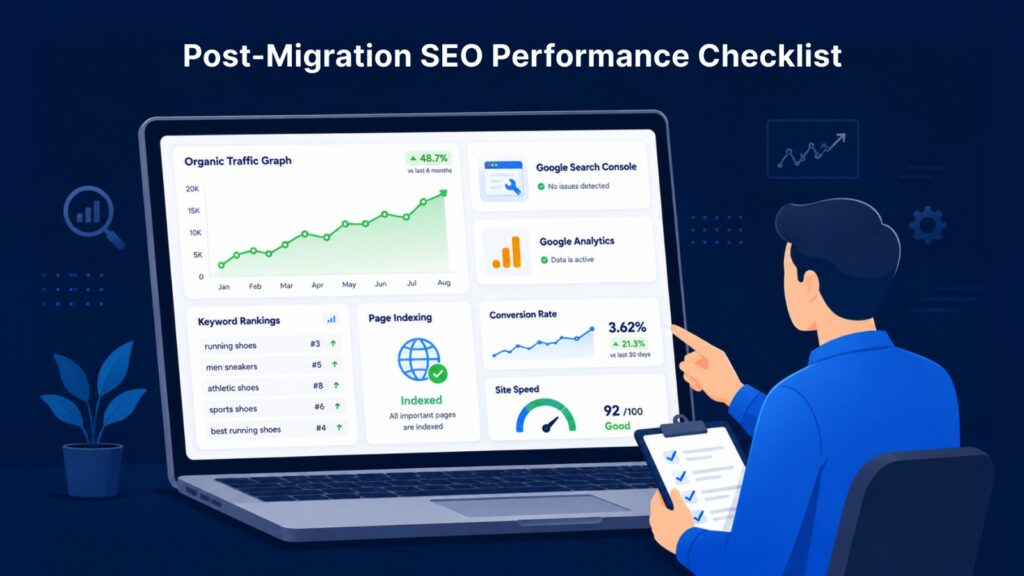
During the first few weeks, monitor:
- Organic traffic
- Keyword rankings
- Crawl errors
- Indexed pages
- Conversion rate
- Revenue
- Site speed
- 404 errors
Google Search Console can quickly identify indexing or redirect issues before they become serious problems.
Common Shopify Migration Mistakes
Even experienced businesses make avoidable mistakes during migration.
Some of the most common include:
- Forgetting 301 redirects
- Removing high-ranking pages
- Changing URL structures unnecessarily
- Losing product reviews
- Missing metadata
- Publishing duplicate content
- Ignoring mobile optimization
- Not testing checkout thoroughly
Avoiding these issues can significantly reduce the risk of traffic or revenue loss.
Can You Migrate Without Losing SEO?
Yes—but only if the migration is carefully planned.
Search engines expect websites to evolve, but they also expect website owners to preserve page relevance, maintain redirects, and provide a consistent user experience.
When executed properly, many businesses experience only minor short-term fluctuations before traffic stabilizes. Some even see long-term improvements thanks to Shopify’s speed, security, and improved site architecture.
The key is treating migration as an SEO project, not just a technical one.
Final Thoughts
Migrating to Shopify doesn’t have to mean sacrificing your hard-earned search rankings or disrupting your sales.
By auditing your existing store, protecting your URLs, preserving SEO data, testing thoroughly, and monitoring performance after launch, you can make the transition with confidence.
A successful migration isn’t just about moving products from one platform to another—it’s about ensuring customers and search engines can continue finding and trusting your business without interruption.
With proper planning and attention to detail, Shopify can provide a strong foundation for long-term ecommerce growth.

Write For Us Technology is a trusted platform for sharing expert-driven insights on modern technology, digital marketing, and emerging innovations. Our editorial team includes SEO professionals, developers, and tech writers who actively work in the industry and bring practical, real-world experience to every article.